App error on launch, no way to get pass

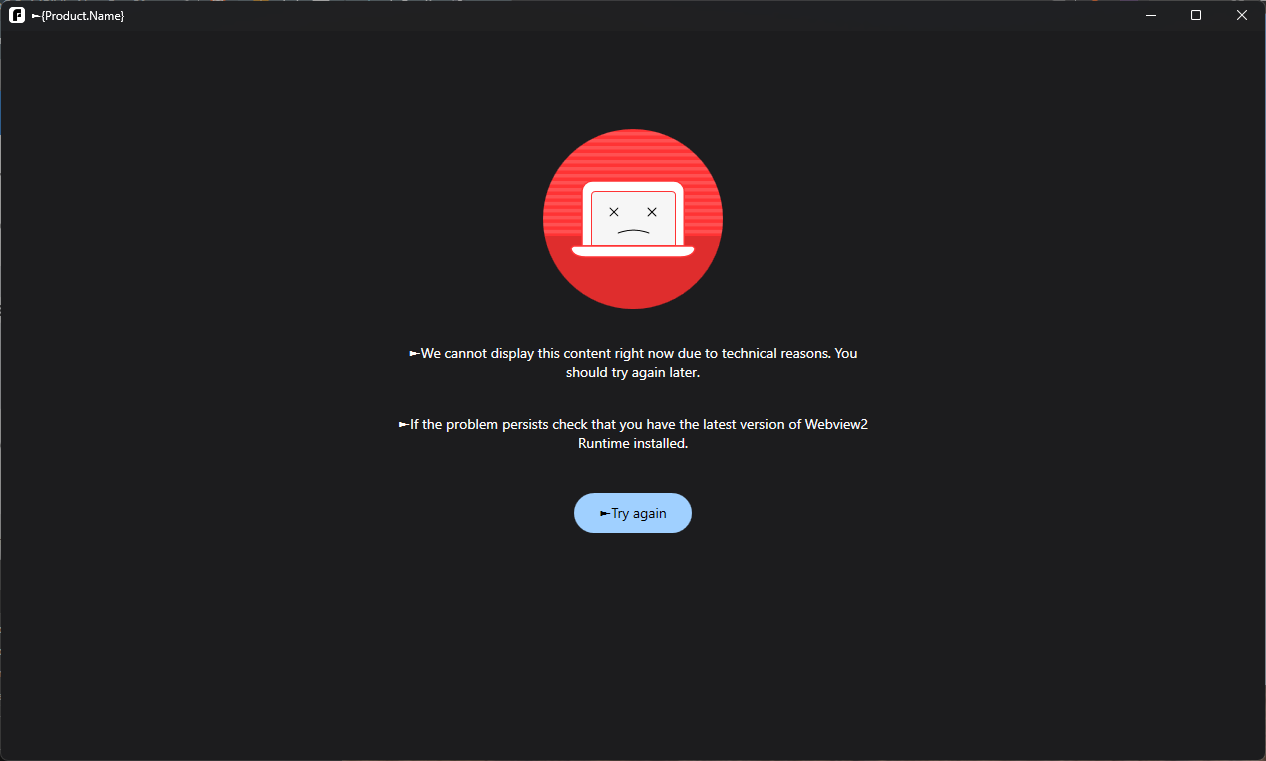
I’m running into a persistent error screen when trying to launch F-secure. The app opens to a dark screen with a red icon and the following message:
"We cannot display this content right now due to technical reasons... check that you have the latest version of Webview2 Runtime installed."
I've also noticed the window title shows as {Product.Name} rather than the actual name of the software.
What I've tried so far:
- Clicking "Try again" (no effect).
- Restarting my computer.
My questions for the community/devs:
- Is this a known issue that a simple uninstall/reinstall of the app will fix?
- Or is this strictly an issue with the Microsoft Edge WebView2 Runtime on my system?
- If I need to provide debug data or logs to help troubleshoot this, where would I find them for this specific state?
System Info:
- OS: Windows 11
- App Version: 6.9.532.0
Thanks in advance for the help!
Answers
-
Hello,
as from the community side:
Is this a known issue that a simple
uninstall/reinstallof the app will fix?I am not sure if definitely this trouble is known, but I am almost sure that uninstalling (by common way via usual Windows routine: either from Settings/Installed Apps or from Control Panel), maybe additional clean up by F-Secure Uninstallation Tool then; and reinstalling back - will fix your situation. At least, if you have ever had a normal state and you are not installing a solution for the first time.
note: that using dedicated tool may 'uninstall' some important stuff like Password Vault's data. I think, the Tool with two modes "uninstall all found" and "choose what to uninstall"; So, better to choose "what to uninstall" and skip these options (unless you have a backup or another synced device).
Or is this strictly an issue with the
Microsoft Edge WebView2 Runtimeon my system?Can be. But since 'customization' (arrows and {} product name) is also not applied - maybe your situation is pinned to some broken installation of something.
But again, if you are installing a solution for the first time (as it seems, it may be: based on the description in this topic: Popup error message when trying to install), then, likely it is better to think about ME WebView2 Runtime.
This KB article (https://www.kb.f-secure.com/s/article/Installing-Microsoft-Edge-WebView2-Runtime-manually?language=en_US) suggested to use 'Evergreen Bootstrapper' option.
App Version:6.9.532.0You created a topic in the Beta section (Home Security Beta Programs) for 'fs protection', but apparently you are using a stable solution like 'F-Secure Total' (or something like that)? It doesn't really matter, but just for clarity.
Because, for example, the latest fs protection should be something like 7.0.363.0
I’m running into a persistent error screen when trying to launch F-secure.
When or since when did this happen? Is this a fresh installation?
Or, say, did you perform a system update (from Windows 10 to Windows 11) or some kind of system restore?
There have been known cases where, for some reason, the 'too old' version of Webview2 was installed on the system, and the F-Secure installer wasn't able to install/use the correct version. Or something like that. Although the problem would have looked differently, perhaps. For example, this discussion: SAFE unable to connect to Internet because Webview2 runtime "Not installed"
So, maybe it is a good idea to focus on Microsoft Edge WebView2 Runtime as the UI says.
// F-Secure also uses Microsoft Windows Desktop Runtime, but everything needed should be installed automatically during the installation process.
Thanks!