FS Protection PC releases
Answers
-
Release 26.9 beta 2 (7.6.195)
Improvements:
- Improve resolving phone number country (i.e. flag icon) by national prefix.
Bug fixes:
- Scam Scanner: Remove "Upload from files" button from page-header info dialog (PBL-17291)
- Scam Scanner: Fix crash/no-op on corrupt image upload (PBL-17288)
- Scam Scanner: Fix verdict tab click selecting wrong tab after scrolling (PBL-17222)
- Scam Scanner: Add missing icons to feedback yes/no buttons (PBL-17228)
-
-
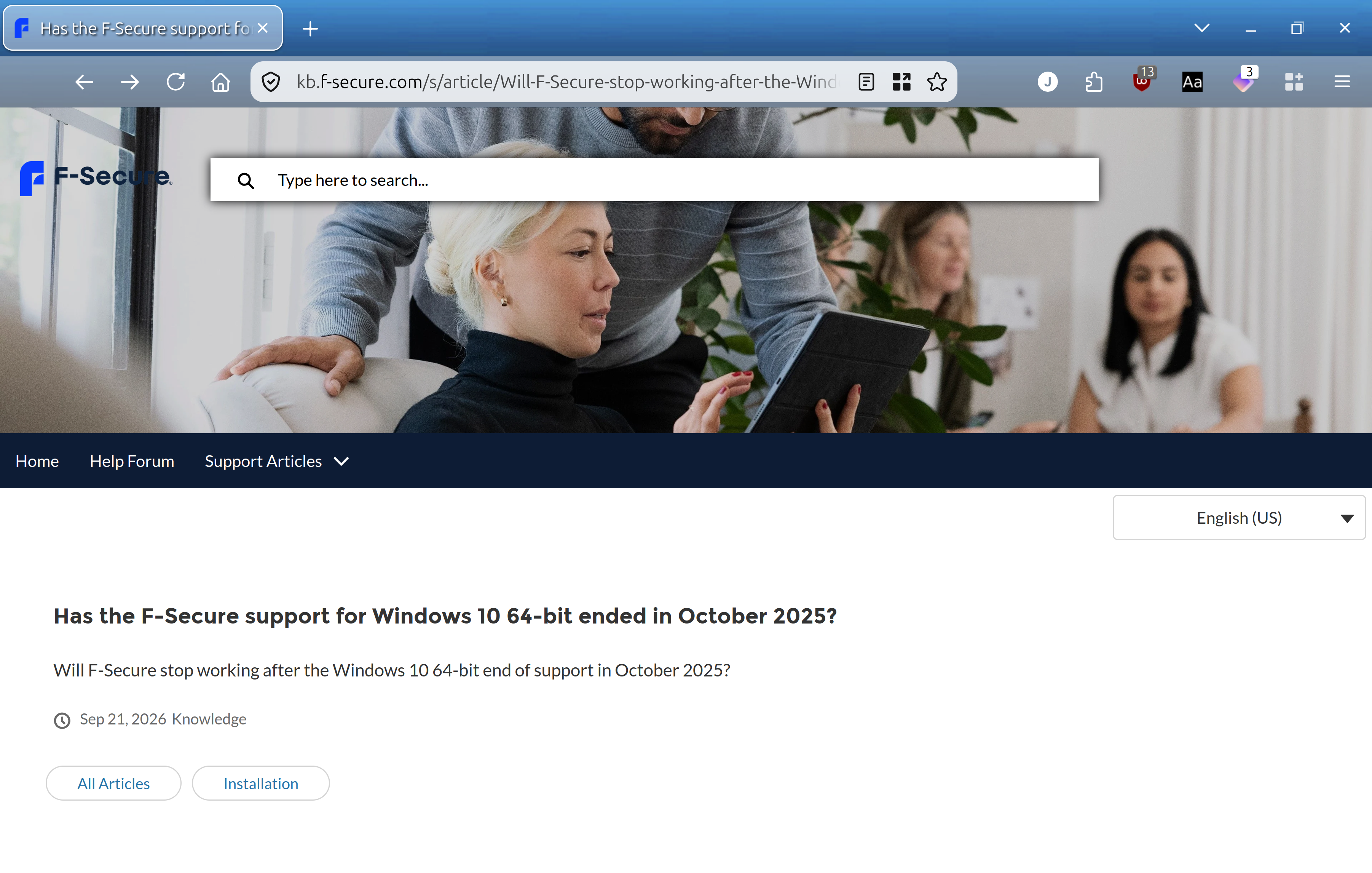
Hi Ville, could you verify the link, as it seems to be a blank page.
Thank you :)
-
I think the problem is not with a specific knowledge base article, but with the knowledge base section as a whole. And, at least, for past six or seven hours (with the support web chat is also partially unavailable; "partially" - because at one point I managed to establish discussion there and tried to ask about that glitch). Because any KB article without 'content' looks like.
The content of the mentioned one is:
=================
Environments
F-Secure Total
F-Secure Internet Security
F-Secure VPN
F-Secure ID Protection
Windows 10 64-bit
Issue/Symptom/Question
I have read about the end of support for Windows 10 64-bit in October 2025, will F-Secure still work after this date?Has the F-Secure support for Windows 10 64-bit ended in October 2025?
Resolution
We will support F-Secure for Windows 10 (64-bit) at least until 1 Jan 2028, and will then continue to follow the number of users still on that operating system to determine how much longer to support it.We recommend upgrading to Windows 11 sooner than this, but our app will remain working on Windows 10 until at least this date.
=================
I do not see it either (by default).
Probably because of 'limited' browser support or some resources are pinned to internal stuff (inaccessible for public).
Because based on support's feedback - KB article might work in Google Chrome (but not in Firefox or Microsoft Edge, where I tried it originally); What I didn't check. I do not use Google Chrome.
or based on my tries to figure out exactly where the trouble was (and perhaps "working Google Chrome per Support Agent try" is just a coincidence because of 'internal' abilities).
And it sounds that content is available for mobile devices. So, I am not sure why. Maybe based on 'dedication' to form-factor; or maybe some protocols in use by mobile browsers (as default). Or some other 'configuration' or 'misconfiguration' which will break working state for some browsers.
// edited: the trouble with KB articles have likely been fixed, and they are now available.
-
Release 26.10 beta 2 (7.7.377)
Improved notifications about connection blocks
- When an app that is not a browser gets blocked by Browsing Protection or Family Protection there is a toast notification about it
- When Family Protection blocks a connection (browser or app) there is event in Recent Events about it
- Added settings to control toast notifications to Settings / Notifications
Bugfixes:
- Fixed malformed South Korea flag in VPN locations (PBL-17401)
Improvements:
- Improved visibility on devices that are shared by multiple users and added specific warning when trying to remove those devices (PBL-17404)
- Improved .NET and WebView2 detection to recognize broken installations (PBL-17461)
- Scam scanner scans no longer hang while waiting for results (PBL-17387
-
Hello,
Improved notifications about connection blocks
Toasts and Recent Events entries (for Family Protection) are just not localized yet?
Since toasts with placeholder's ">" (as related part / descriptions in Settings too); ">Flyer.NetProt.Blocked.Title" and ">Flyer.NetProt.Blocked.Content".
Probably "Event.Ols.BlockBlacklistUrl.Title" and "Event.Ols.BlockCategoryUrl.Title" in Recent Events are expected as well (for now)?
Thanks
-
-
Release 26.10 beta 3 (7.7.519)
Shopping page analysis for Shopping Protection (Google Chrome only)
Browsing Protection extension can now analyze shopping pages on your device and show what kind of page you're on, such as a product page, a cart or a checkout. It also finds the shop's own terms, such as delivery, returns and privacy, and gathers the links in one place under "Terms and policies on this website".
- The extension must be version 8.2.15 or newer. Older versions do not show the feature.
- The feature is off by default. You can turn it on in either of these places:
- The smart task "Help improve Shopping Protection on Google Chrome". Select Turn on.
- Settings, Shopping Protection section. Select "Allow fs protection to analyse shopping pages on your device and display what kind of page you're on, such as a product page, a cart or a checkout."
Data collection: When this is on, we collect the address (URL) of the shopping pages you visit, what the analysis found, and any feedback you give. The data is sent anonymously. None of it is linked to your name or your F-Secure account, and we don't use it to identify you. We use it to improve Shopping Protection and to teach it to recognize more shops.
Feedback: This is a beta feature, so some page types or terms links may be wrong. Please use the thumbs up and thumbs down buttons in the extension to tell us whether the result was correct. Your feedback helps us make the analysis better.
Bugfixes:
- Multiple fs_key_NativeMessagingHost.exe processes may be created in rare situations (PBL-17180)
Improvements:
- Improved color contrasts in dark mode to make buttons more readable (PBL-17544)
- Added Import/Export options to scan exlusions (PBL-17511)
Ville
F-Secure R&D, Desktop products
-
Hello,
It also finds the shop's own terms, such as delivery, returns and privacy, and gathers the links in one place under "Terms and policies on this website".
Is it limited to two items per section?
I tried only four/five websites (Harrods; Amazon UK; two random local websites). And in "Terms and policies on this website" section - there were always only two 'entries' (or less; like just one).
All of tried websites offer more than two (or all possible variations of terms). Within fs protection Browsing Protection extension, overall, I saw: 'Shipping and delivery' type, 'Privacy Notice' type, 'Warranty' type, 'Return' type. But just different combos of pair or just one "entry" (per site).
However, Harrods website (as an example) has rather many visible / placed terms (including delivery, returns and privacy and so on). I am not sure why "Terms and conditions" and "Privacy policy" were detected (sometimes with glitches); but, say, 'Delivery' and 'Returns & Refunds" were not.
This is a beta feature, so some page types or terms links may be wrong. Please use the thumbs up and thumbs down buttons in the extension to tell us whether the result was correct.
Is it enough (thumbs up or thumbs down) for cases when, for example, opened page with 'active' Cookie Prompt dialog is marked as "an Order confirmation page" and without cookie prompt dialog - this page is marked as "a Product listing" (but page itself is FAQ about return policy).
And, then, listing of products (?!) is marked as "a Shop page"?
By choosing "thumbs up" or "thumbs down" - won't this break something in the revaluation process if a particular choice turns out not to be entirely correct?
// and, when detected Terms or listed description of Terms or whatever about terms is about glitchy, wrong or tricky state - would a "thumbs down" option be appropriate in such a case?
Thanks!
-
There is no limit of two per section. The popup shows one link for each policy kind it finds (up to 7), the first 3 and "See more" for the rest. The problem is detection, we don't yet just detect all the relevant links, feedback will help us improve this. Thumbs down even in such cases will help us.
For other questions, it is ok to always report with thumbs down if you think something looks off. For example if we didn't show products listing info but just generic "a shopping page" in real products listing page, it means that we failed to detect it correctly and feedback is appreciated.