FS Protection PC releases
Answers
-
Release 26.9 beta 2 (7.6.195)
Improvements:
- Improve resolving phone number country (i.e. flag icon) by national prefix.
Bug fixes:
- Scam Scanner: Remove "Upload from files" button from page-header info dialog (PBL-17291)
- Scam Scanner: Fix crash/no-op on corrupt image upload (PBL-17288)
- Scam Scanner: Fix verdict tab click selecting wrong tab after scrolling (PBL-17222)
- Scam Scanner: Add missing icons to feedback yes/no buttons (PBL-17228)
-
-
Hi Ville, could you verify the link, as it seems to be a blank page.
Thank you :)
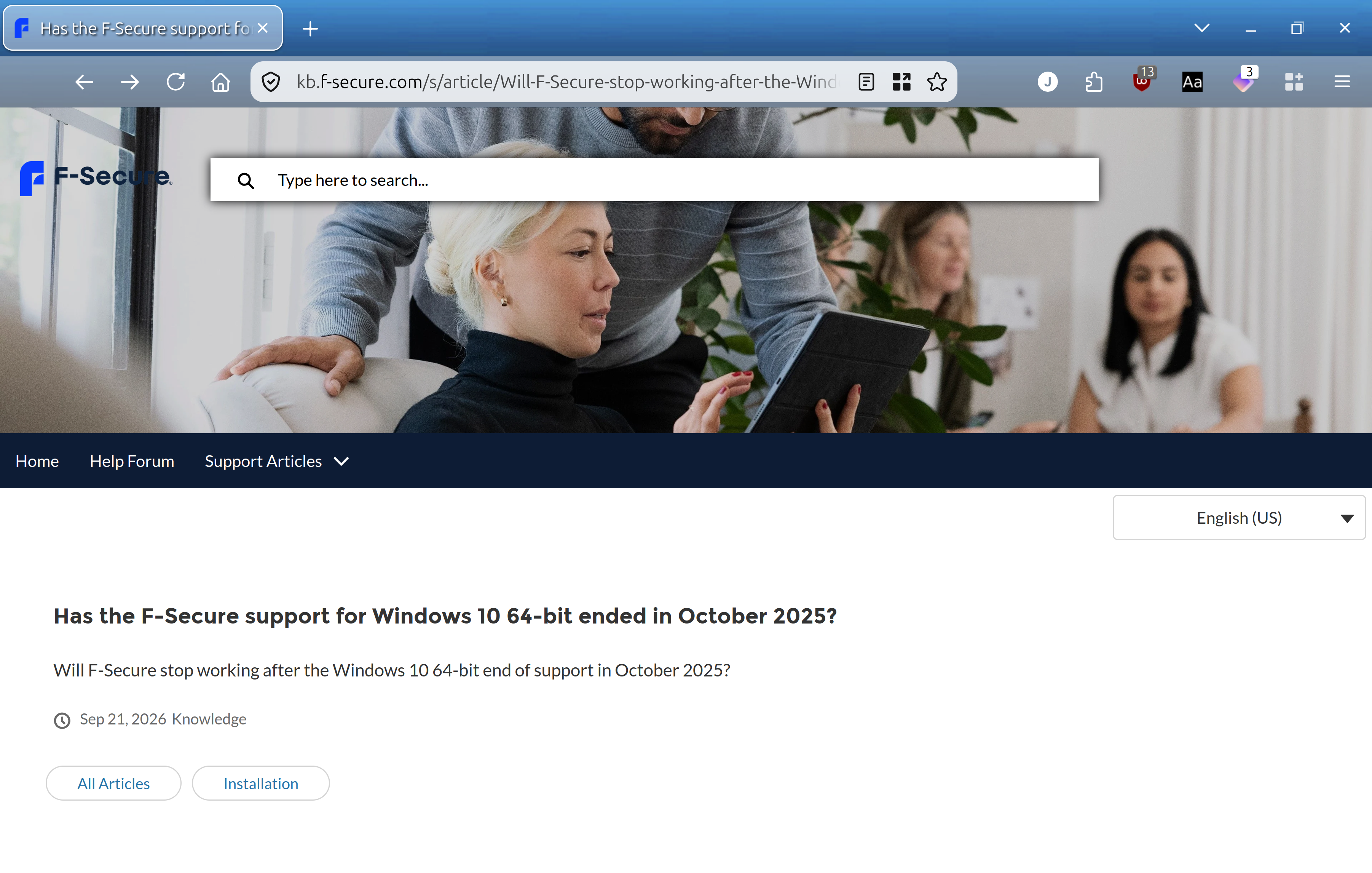
-
I think the problem is not with a specific knowledge base article, but with the knowledge base section as a whole. And, at least, for past six or seven hours (with the support web chat is also partially unavailable; "partially" - because at one point I managed to establish discussion there and tried to ask about that glitch). Because any KB article without 'content' looks like.
The content of the mentioned one is:
=================
Environments
F-Secure Total
F-Secure Internet Security
F-Secure VPN
F-Secure ID Protection
Windows 10 64-bit
Issue/Symptom/Question
I have read about the end of support for Windows 10 64-bit in October 2025, will F-Secure still work after this date?Has the F-Secure support for Windows 10 64-bit ended in October 2025?
Resolution
We will support F-Secure for Windows 10 (64-bit) at least until 1 Jan 2028, and will then continue to follow the number of users still on that operating system to determine how much longer to support it.We recommend upgrading to Windows 11 sooner than this, but our app will remain working on Windows 10 until at least this date.
=================
I do not see it either (by default).
Probably because of 'limited' browser support or some resources are pinned to internal stuff (inaccessible for public).
Because based on support's feedback - KB article might work in Google Chrome (but not in Firefox or Microsoft Edge, where I tried it originally); What I didn't check. I do not use Google Chrome.
or based on my tries to figure out exactly where the trouble was (and perhaps "working Google Chrome per Support Agent try" is just a coincidence because of 'internal' abilities).
And it sounds that content is available for mobile devices. So, I am not sure why. Maybe based on 'dedication' to form-factor; or maybe some protocols in use by mobile browsers (as default). Or some other 'configuration' or 'misconfiguration' which will break working state for some browsers.
// edited: the trouble with KB articles have likely been fixed, and they are now available.