
Can't add more devices to the beta program even if free spots available?

Hi,
I wanted to add a MacBook in my beta tester license profile but it looks like the process used is no longer the correct one.
It is not anymore through the FS Protection portal under safeavenue?
I was used to see here an option to either add a profile, either add a new device.
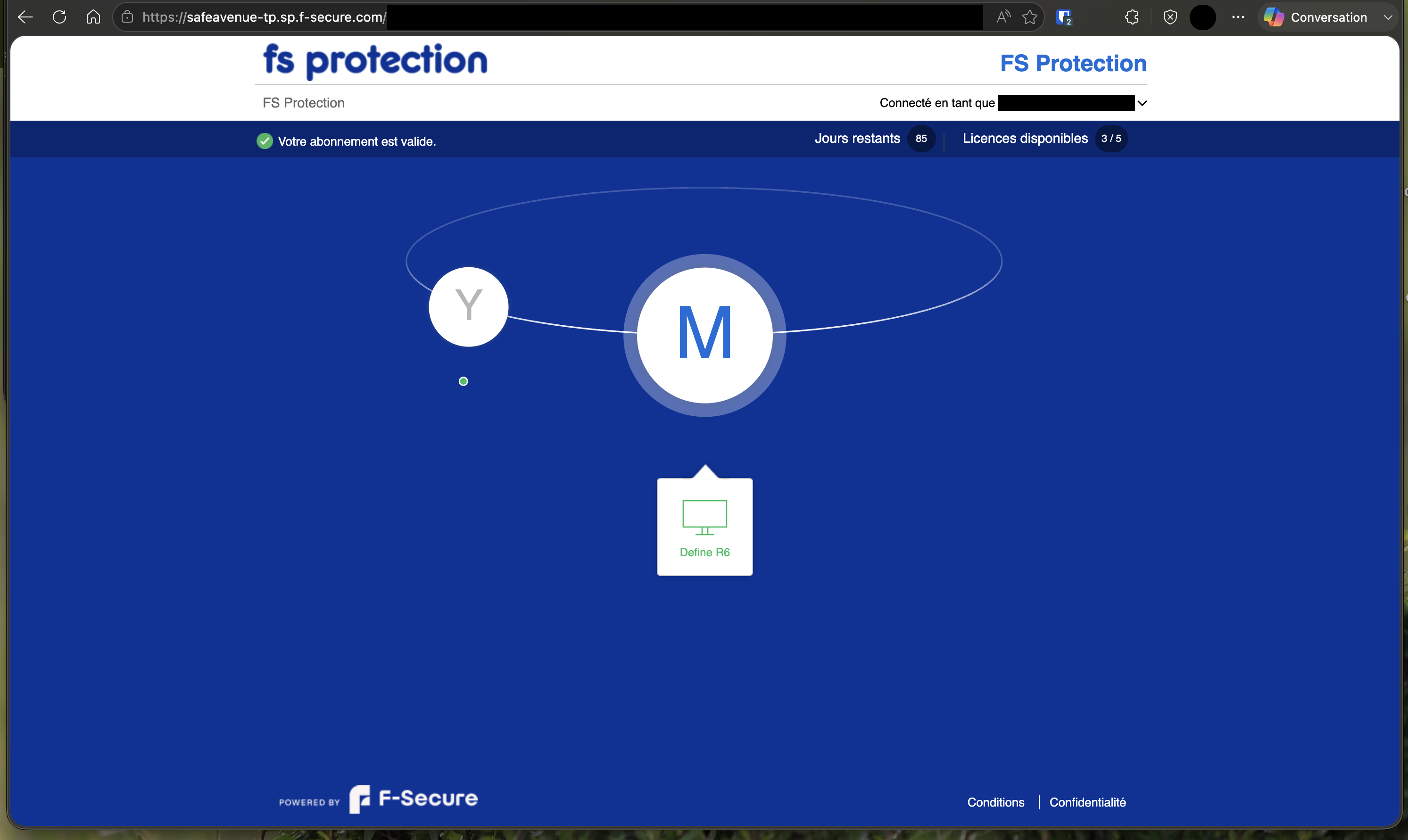
I tried to find some more info about this through the community but my only options brought me either back to the FS Protection safeavenue one, either through the production one (which I don't want to use in this case).
In any case this helps: checked through an Apple MacBook Pro (M4 Pro), using Microsoft Edge browser. Through Mozilla Firefox and Apple Safari, no difference.
Best regards,
Melvin
Answers
-
Hello,
// later added: you may not read my comment. Because - I think enough is to use this page: https://www.f-secure.com/en/fs-protection; type your email address there and (re)send invite (as per this part: """"If you already have an account but have lost the invitation, just enter your email to the form above and you will receive a new invitation for the existing account."""). Then, get installer, install on your device. The reason behind this routine was touched in my original comment.
Although I can notice that the portal on your screenshot looks a little broken (and not the same as it was for me the last time I used it and managed to add more devices) - as per recent builds - you should no longer use My FS Protection.
This is a recommendation and a kind of request from the beta team. Moreover, it can lead to some inconsistencies.
Now all "management" is carried out through the user interface (mobile or desktop application).
Could you clarify which devices you're currently using? And what fs protection version is installed on them?
I can't give a precise guide to the current design, since my setup is partially broken and I use what are called workarounds, but in general:
- open fs protection main UI;
- try find "People&Devices" card;
- if you are 'owner' of subscription - there should be a bit more visually clear steps how to move forward either by adding a fresh device or a new user.
Also, basically, you just need an installer and 'activation code' now. The steps above should give you a way to receive valid "activation code" (pinned to your subscription).
I am open to discussion if my comment is too unclear and advice is needed. :)
Thanks!
-
Thanks for your reply @Ukko 😊
Sadly, when I go on the beta page to request access, I always have the following message:
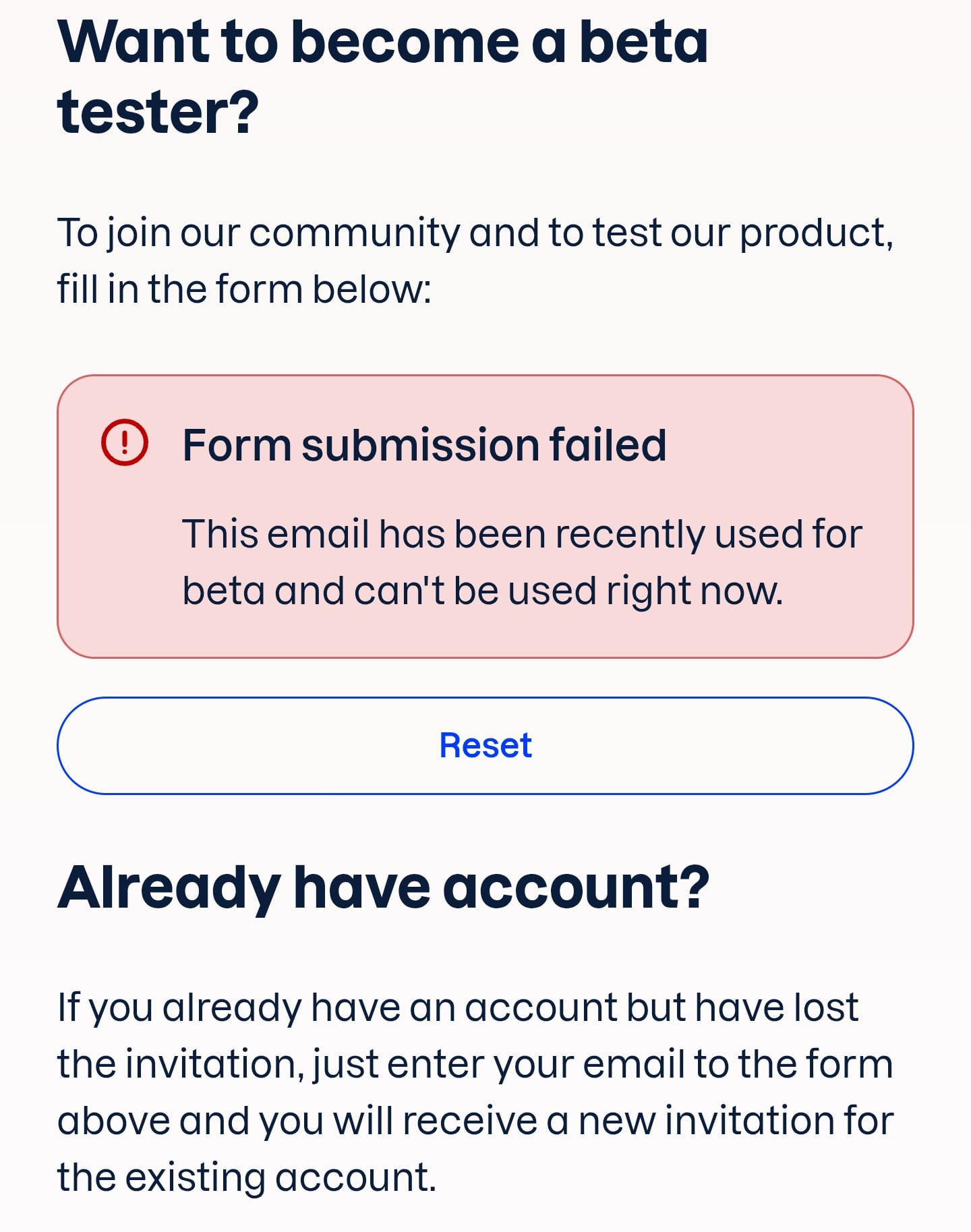
Something seems wrong as I confirm having an active beta access and no problems with the installer already live on one of my Windows devices.
Should this be reported to the beta E-mail address or should this stay here in the forum?
-
So…
Sadly, when I go on the beta page to request access, I always have the following message:
maybe that's how it's supposed to be now (though I haven't double-checked; and I hadn't encountered that specific output in my own experience before; and I still do able to use this form for my account(s)).
What I mean is that, in principle, you would have had to use the routine via the application's user interface anyway. As the primary and main method of license management at the moment.
So, if you haven't managed to sort the situation this way yet, it’s worth checking (as mentioned in the previous comment) your current installations and fs protection versions there. The latest builds (such as 26.6) should feature a "People and Devices" card (or sort of naming), where subscription "owners" can invite other users and/or add new devices. With some basic management. It is expected that either an email or an SMS containing instructions (an installer URL and an activation code) will be sent via this routine. It is almost exactly as what would happen via a form on a webpage.
Something seems wrong as I confirm having an active beta access and no problems with the installer already live on one of my Windows devices.
Should this be reported to the beta E-mail address or should this stay here in the forum?
I don't recall where I saw or read the information, but the idea is that access is granted for six months (or so). Once that period ends, you cannot reapply for five or six months before becoming eligible to join the beta program again (provided it wasn't automatically extended with the initial participation). That kind of output regarding recent email's participation in beta aligns with this design. However, it’s unclear how that would work with having an active, unexpired subscription.
Anyway, I think it is not (yet) worth to report via beta email address (since Community is monitored too), but if you do not able to use your Windows device (with an active installation) for obtaining activation code for other devices - then that would probably be the only way.
Try to check if your Windows fs protection application includes a "People and Devices" card (instead of "My Devices") among other modules like "Device Protection", "Scam Protection", "ID Monitoring", "Password Vault", "VPN", "Family Protection" and so on. Then, inside - it should be clear whether you have the ability to send an activation code for other devices.
