False Positive: Legitimate CySEC-regulated broker In2Markets.com incorrectly flagged as scam

Hello F-Secure Community,
We are the team behind In2Markets.com, a fully licensed investment broker regulated by the Cyprus Securities and Exchange Commission (CySEC) under licence number 263/14.
Our CySEC registration is publicly verifiable in the official CySEC register: https://www.cysec.gov.cy/en-GB/entities/investment-firms/cypriot/71227/
The CySEC website can be found here: https://www.cysec.gov.cy
The problem: F-Secure is incorrectly flagging our domain as "scam" and "not safe": In2Markets.com (including all subdomains)
What we have already verified: Google Safe Browsing: clean Netcraft: clean PhishTank: clean Spamhaus: clean
The false positive originates solely from F-Secure. We have already submitted our domain via the official F-Secure sample submission channel, but the warning has not been removed.
The impact: This classification is causing serious and ongoing reputational and commercial damage to a legitimate, regulated financial institution. Our clients, many of whom use F-Secure through their Ziggo internet subscription in the Netherlands, are being incorrectly warned away from our platform.
We have formally notified Vodafone Ziggo, F-Secure's distributor in the Netherlands, of this issue, including its legal implications.
Our request: We request that F-Secure's team reviews and re-evaluates the classification of In2Markets.com, confirms the exact basis for the "scam" warning, and removes the incorrect labels if they cannot be substantiated.
We are happy to provide any additional documentation, including our full CySEC licence details.
In2Markets team info@in2markets.com
Accepted Answers
-
Hello,
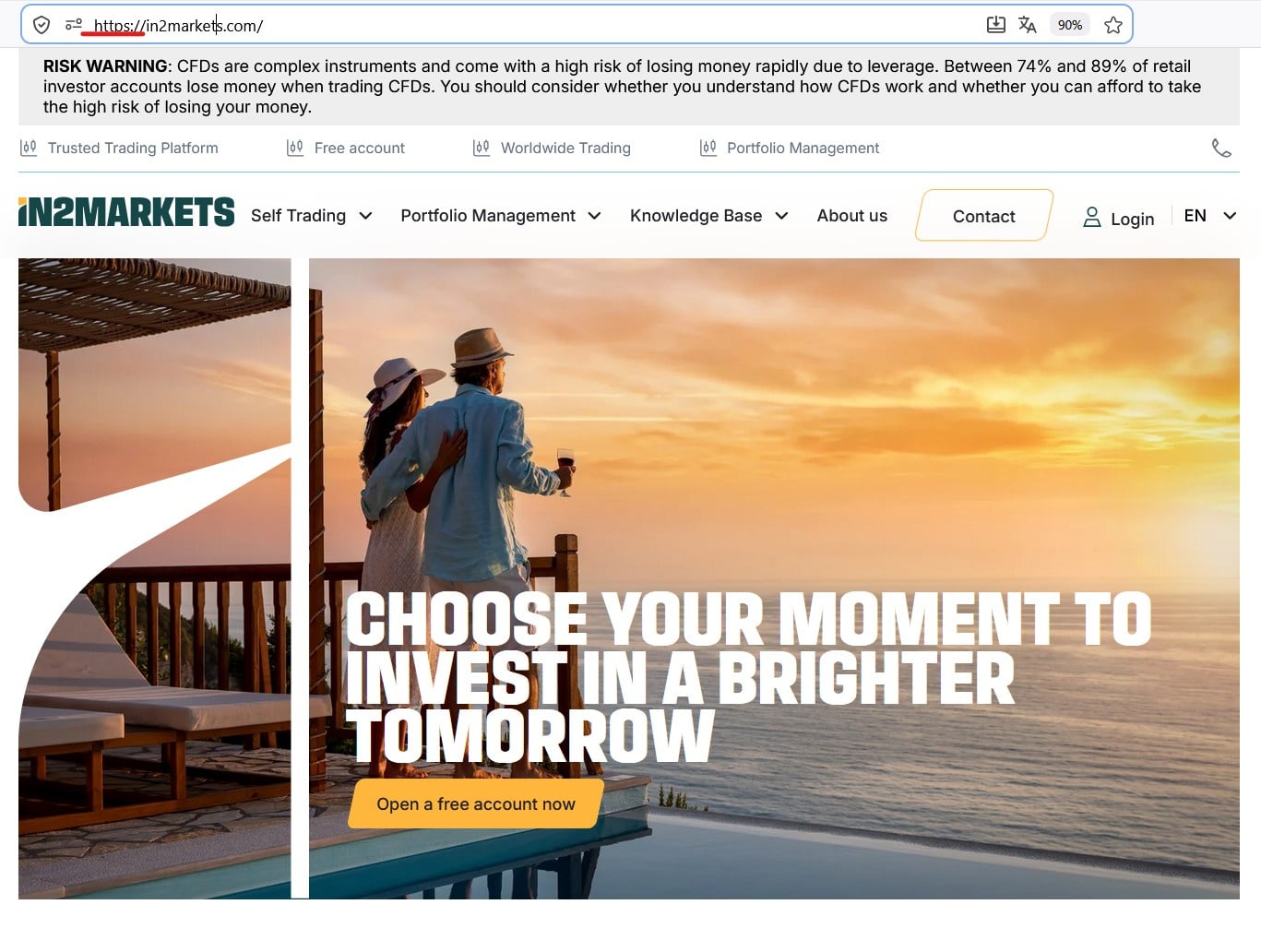
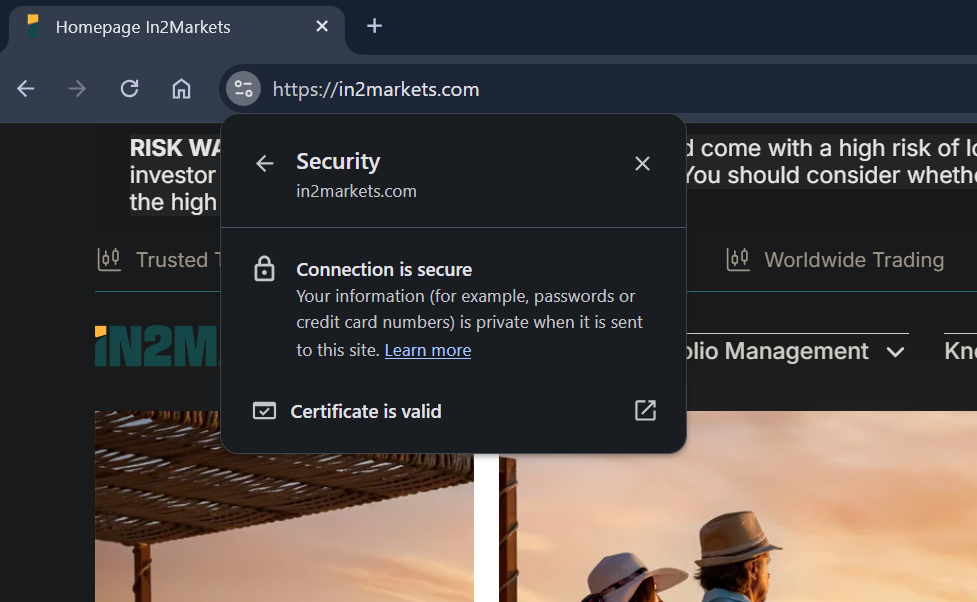
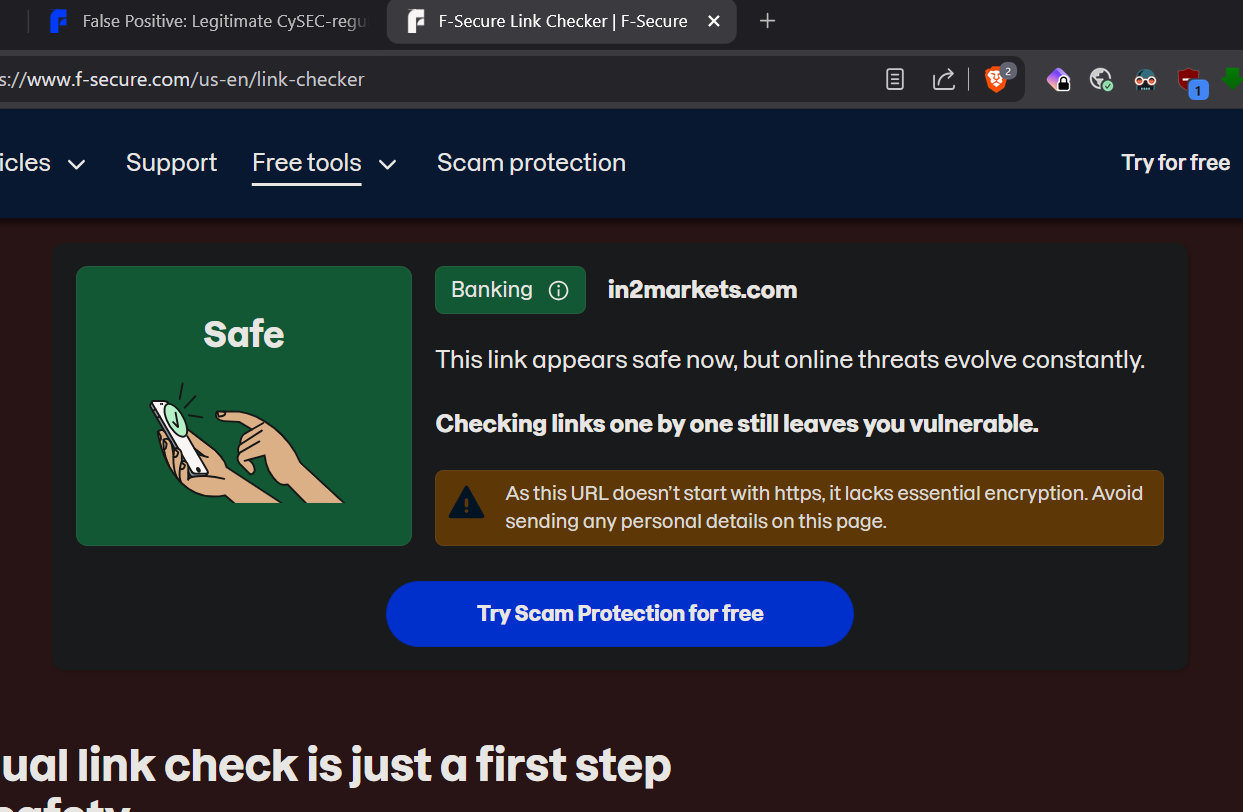
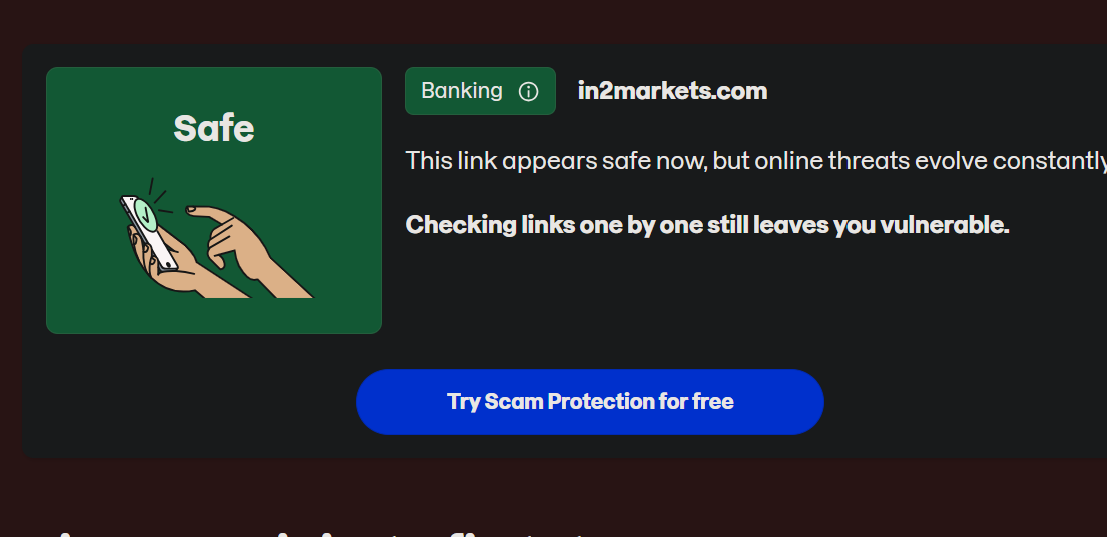
Here's where I'm at in the US, VPN is connected to Chicago. It's a Windows 11 PC, I do not use phones for commerce. Your site loads, the link is approved, and is using https with a valid certificate. As Ukko mentioned, I did clear the Reputation Cache. In the link checker, you do need to put the full https address in, to get the all is clear (no brown box), otherwise, it will still have the "warning".
-
Thanks for your responses.
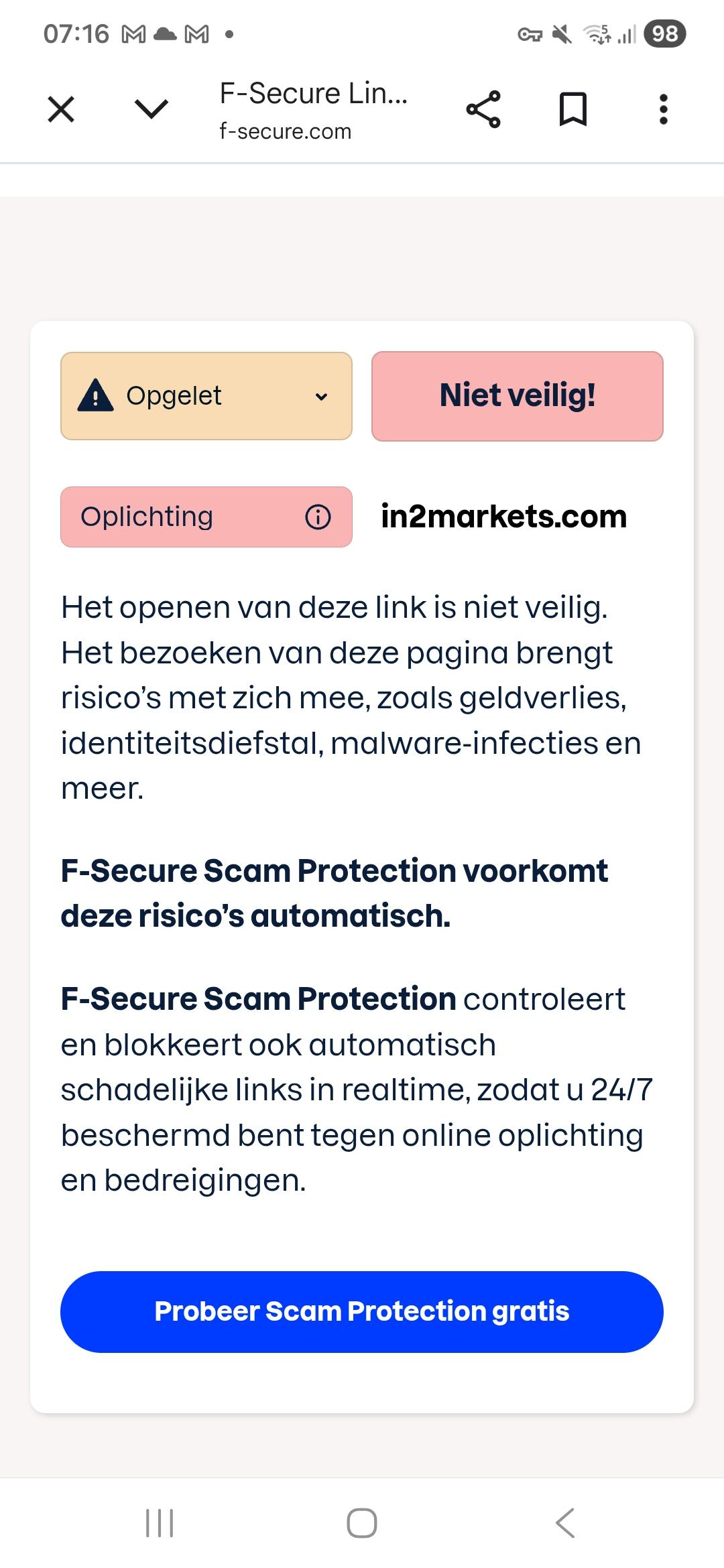
Here is the screen shot, in Dutch however but still. It is the message they sent out when I test my own website on the Fsecure website, it is quite clear in my opinion
This happened because you only entered the domain name and domain zone. If you type-in the protocol, domain name and domain zone, everything will be fine.
You can verify by using "F-Secure" own website as an example.
Try: f-secure.com
and then try: https://f-secure.com
first one will be with the same result as on your screenshot; and second one will be about 'all good and nice'.
Looks like web-based Link Checker assumed that provided URL without protocol is "http" (or other variants). So, it is possible to specify https.
I tried your website (with writing "https://" before domain) and the result is:
"""This link appears safe now, but online threats evolve constantly. Checking links one by one still leaves you vulnerable.""" with "Banking" category-badge/tag.
this was the message before, translate (not safe, scam, opening link not safe, identity fraud etc) quite a claim from Fsecure if you ask me?!::
indeed.
but I will say that actual users (unless they do check it via web's F-Secure Link Checker) with less scary words and 'mentions'.
you can try use F-Secure own testing website as an example (http://unsafe.fstesting.net/) and put it there for check. Wording will be the same as on your screenshot. But if I do visit it via my browser - then I see only generic blockpage and words about 'unsafe' status of website. And not recommended status of visiting it unless "you are sure".
Not like direct suggestions of "money losing, ID theft, malware infection". Which is really 'more' quite a claim.
Thanks!


Answers
-
-
Hello,
Can you make a screenshot or more information about this part:
The status now has changed but is still wrong Fsecure claims we dont have HTTPS encryption but this is also false, we do
Because I do not think F-Secure can make any such claims. And there are no features related with such a "warning" or "statement" in general.
However, it may be the case that the F-Secure user does not have the browser extension active (or installed) and for some reason the website is blocked (either the "old" rating is still applied, or, for example, the website is blocked as part of the banking protection session as it is not marked as reliable for this feature).
In this case, the browser may display a "generic SSL/TLS/HTTPS/other-reason/Code" error to the user instead of the F-Secure blocking page or pop-up saying that website is not supporting https or whatever (maybe default browser's action on DNS-related generic error). For example, for Windows platform.
To clean up reputation/rating cache:
To suggest 'safe' status during banking protection sessions or using local 'exception':
- Allowing blocked websites manually;
- Allowing specific websites;
- Using Banking Protection (part: ""If Banking Protection does not detect your website as a banking or online shopping site, submit the URL of the site to us."" is basically also can be used as "should be allowed during banking protection session").
It's possible that some other feature is causing a delay or something similar that is causing the browser to throw such an "error" or "claim", but I'm not sure if F-Secure is doing that (so more information is needed). Your screenshot doesn't show any visible indications of the "wrong Fsecure claims we dont have HTTPS encryption", but the address bar clearly shows HTTPS (yes).
We have already submitted our domain via the official F-Secure sample submission channel, but the warning has not been removed.
Did you receive a response from them? Or did you submit it without giving context and contact details?
I mean, if there is on-going correspondence via that 'ticket' - then it is better to ask them some clarifications or points around situation.
At least, with my F-Secure installation - I do see 'safe' rating for mentioned website / URL.
Thanks!
-
Here is the screen shot, in Dutch however but still. It is the message they sent out when I test my own website on the Fsecure website, it is quite clear in my opinion:
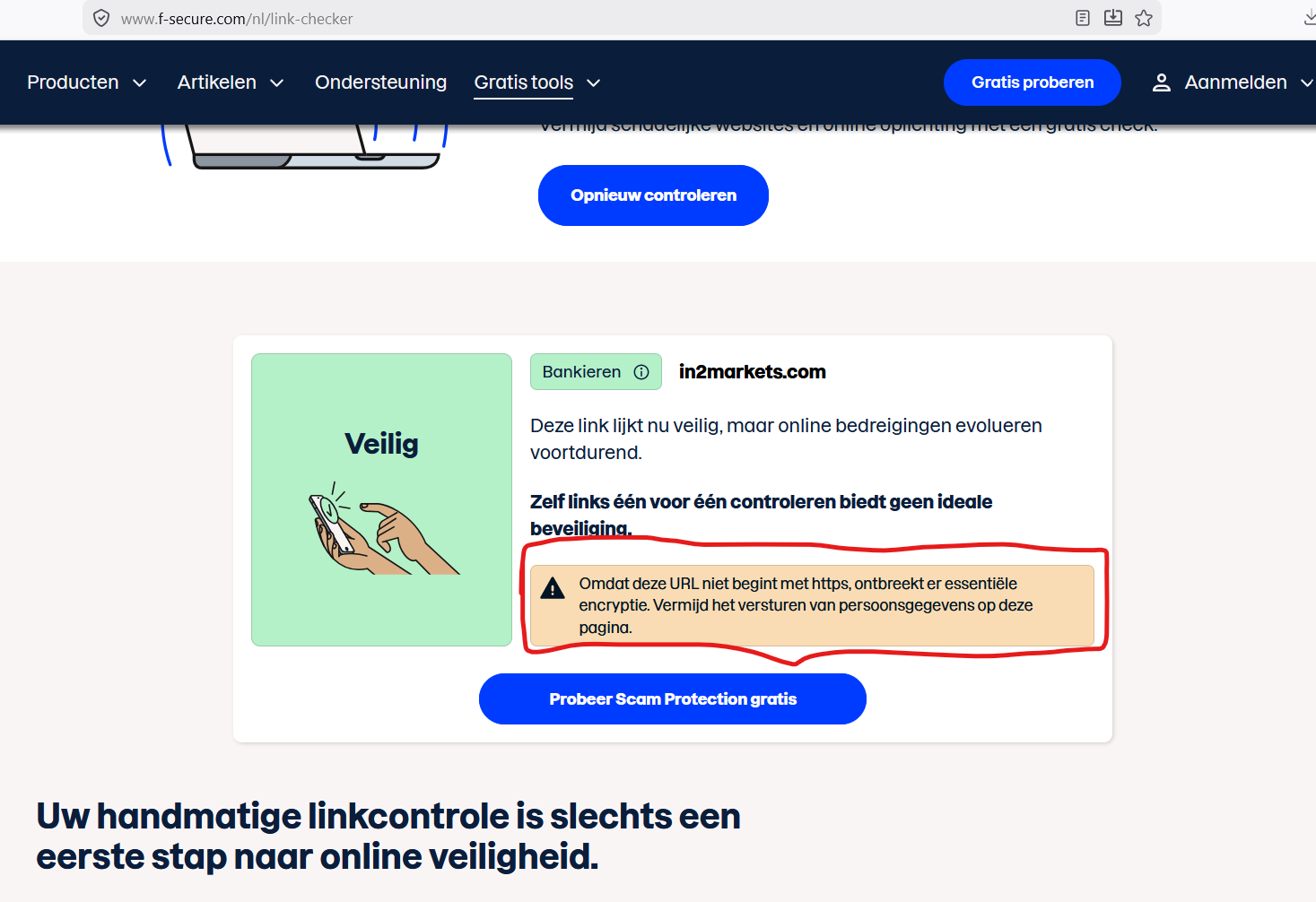
this was the message before, translate (not safe, scam, opening link not safe, identity fraud etc) quite a claim from Fsecure if you ask me?!::