Device Protection cannot update

F-Secure tells me 'device restart needed'. Updates cannot be done.
I already restarted multiple times. Also, I tried the 5 steps from the support AI bot including uninstalling and reinstalling f-secure, but that did not help.
I have the problem since about one month.
My system: Windows 10 Pro, 22H2 with extended security updates enabled
Answers
-
I used the uninstallation tool, did all the requested restarts and followed all instructions.
Windows 10 Pro, 22H2 with extended security updates enabled, installed all latest updates as far as I can see.
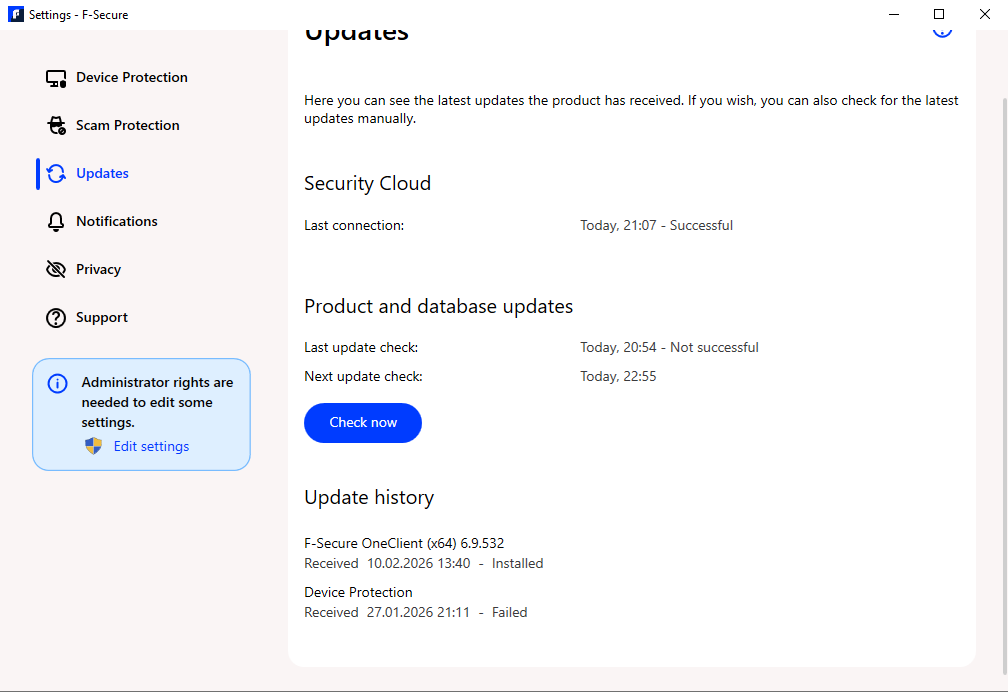
The problem started in January (monthly updates were working until December). There f-secure tried to load updates and failed at 14%. Now, after reinstallation (end of January), it fails immediately.
As you can see in the screenshot, the OneClient seems to have updated 10.02.2026, but Device Protection fails since reinstallation, but does not give me a reason.
-
I've found the uninstall tool, to not do very much, if anything more than if F-Secure was able to be uninstalled from Windows Apps. There isn't a 10-15 second window of it, uninstall tool doing more clean up, IMO. It's probably also used when a conventional uninstall doesn't work.
Try this, uninstall F-Secure using Windows Apps, and then the Uninstall tool, restart your PC. In Windows Explorer enable View hidden items, then check these two locations for leftover F-Secure folders: Program Data and in Users (your PC name) look in Application Data/Local for a F-Secure folder and delete them. You can also confirm it's been deleted from Program files, which it usually is.
The reason you need to restart your PC is you can't delete those leftover folders (if you do have them) without a restart, F-Secure won't let you.
Now, using the Windows key + R, in the Run search box, type, "temp" (no parenthesis) and hit enter (or OK) and Select all, Delete all, as many as you can and skip the rest. Then do the same thing in Run type %temp% and delete as many as you can. Delete your F-Secure download installer and empty the Recycle Bin. Restart your PC. Go back into your F-Secure portal and re-download the installer and proceed from there, and see if that helps.
Give the process time to install the protection, sometimes the OneClient and Device protection can take a while on install to catch up with each other.
-
-
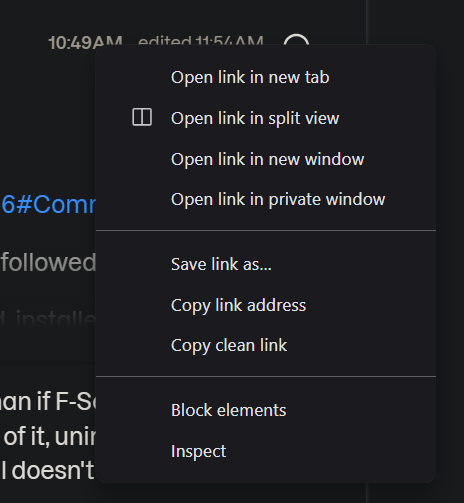
If it doesn't change after a restart, I would contact offline (edit: off forum) support and let them know what you've tried. If you right click on the time stamp on the top right corner of a post, you can "save link as" and forward it (copy and paste it) to support if needed, as far as what we tried. Unless, someone else here has some ideas for you.
I hope it gets resolved for you.
Edit: and those folders not being empty, is normal from my experience. It may be that F-Secure wants those to remain in case there are issues after an uninstall, they can access those folder to retrieve data (trouble shooting). But since we were trying for a clean "new" install to help with this issue, IMO, they needed to be deleted, but are there now, again (re-populated).
-
-
Thank you for posting back your results, @VoidKeeper, it's nice to know it's resolved.