Automatic scans several times a day

Comments
-
Hello,
So, it is quite possible that this is normal, depending on the circumstances or if additional information is available. For example, automatic scans at each device reboot, turning on device, charging device or some other action; what can be three/four times a day. Perhaps this shouldn't happen so often or under these conditions, but there may be certain triggers that initiate the scan/check intentionally (without any reason to skip scanning). Otherwise, it would be good to know whether each of them is marked as successfully completed (or if each one fails before 'latest' one per day)
But considering your past experience - have there been any improvements over the years? In other words, did the situation change? And has it just now resurfaced?
Thanks!
-
Hello,
Thanks for your reply!
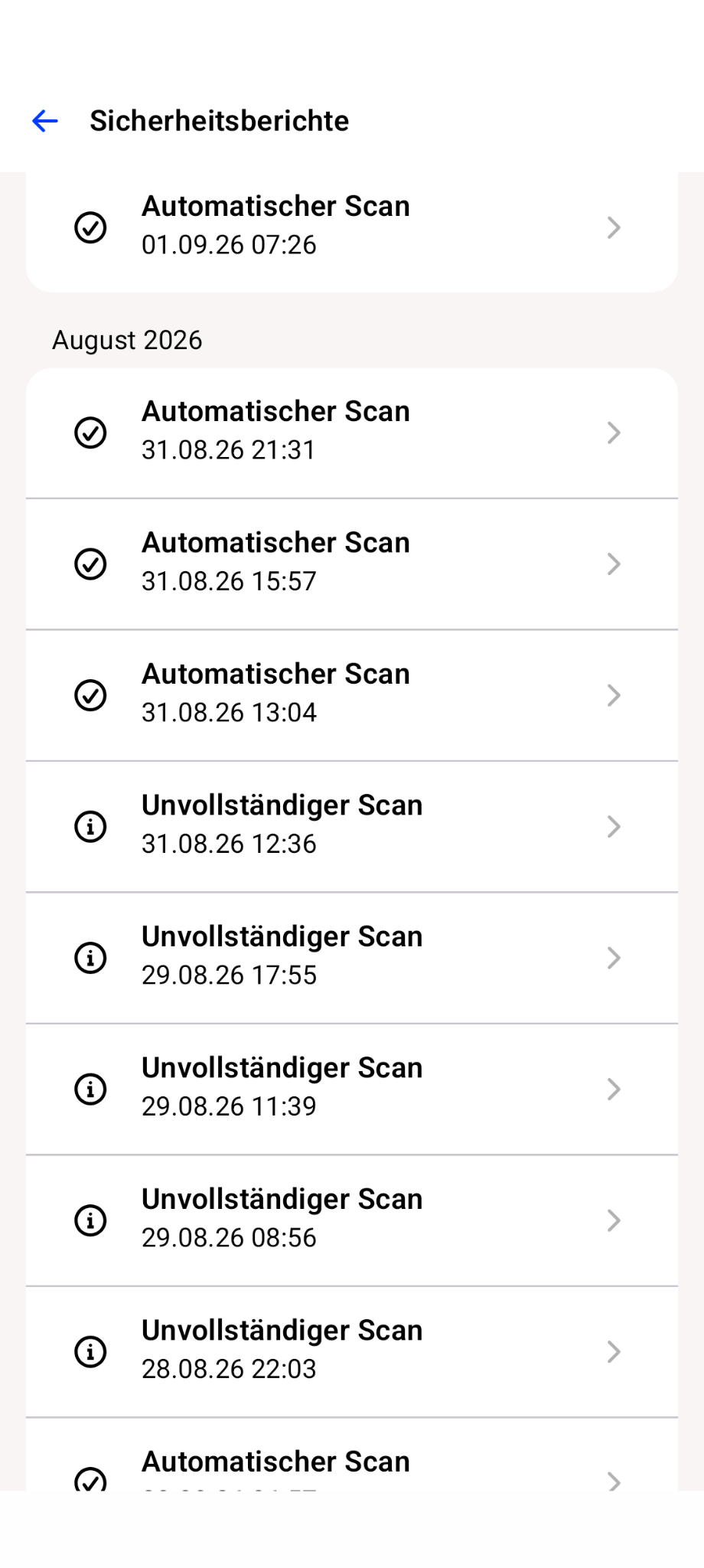
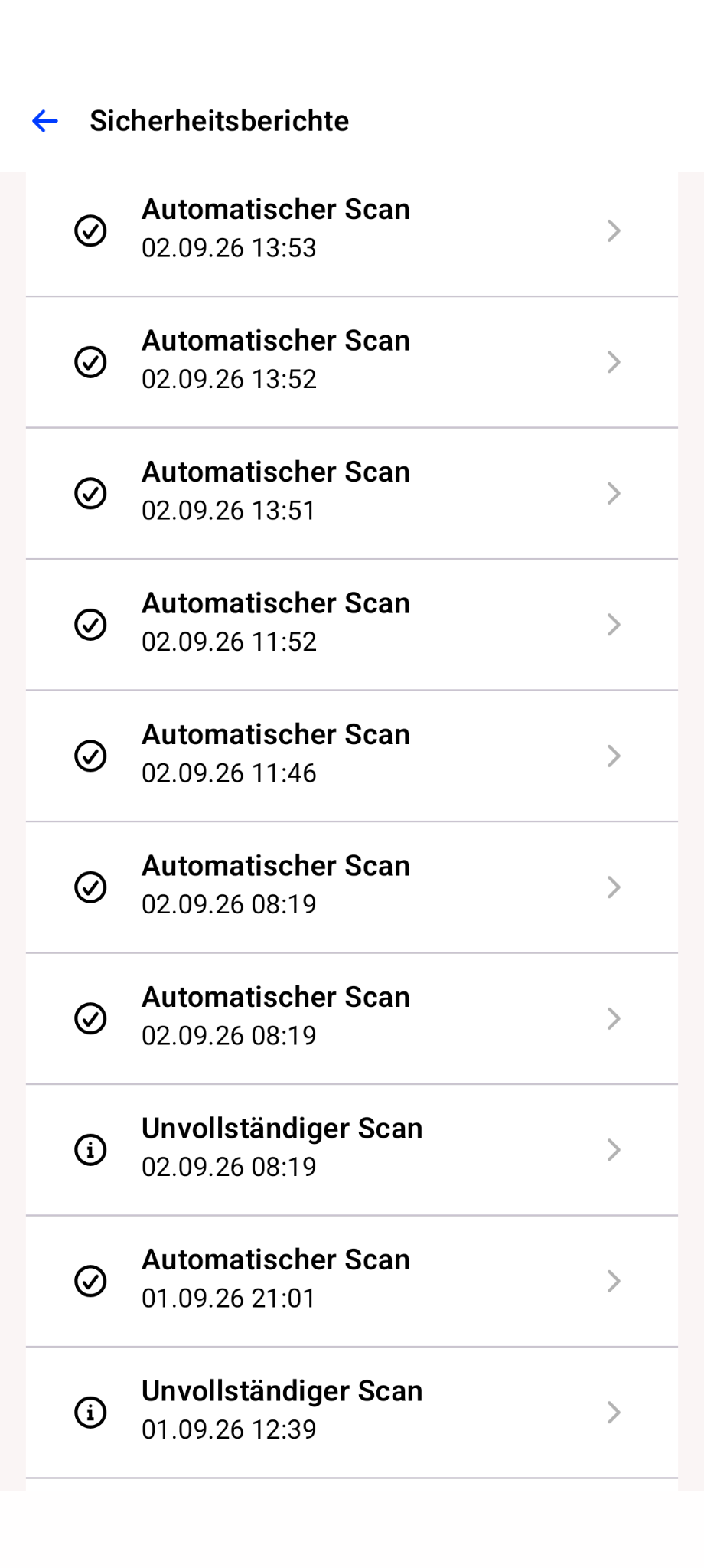
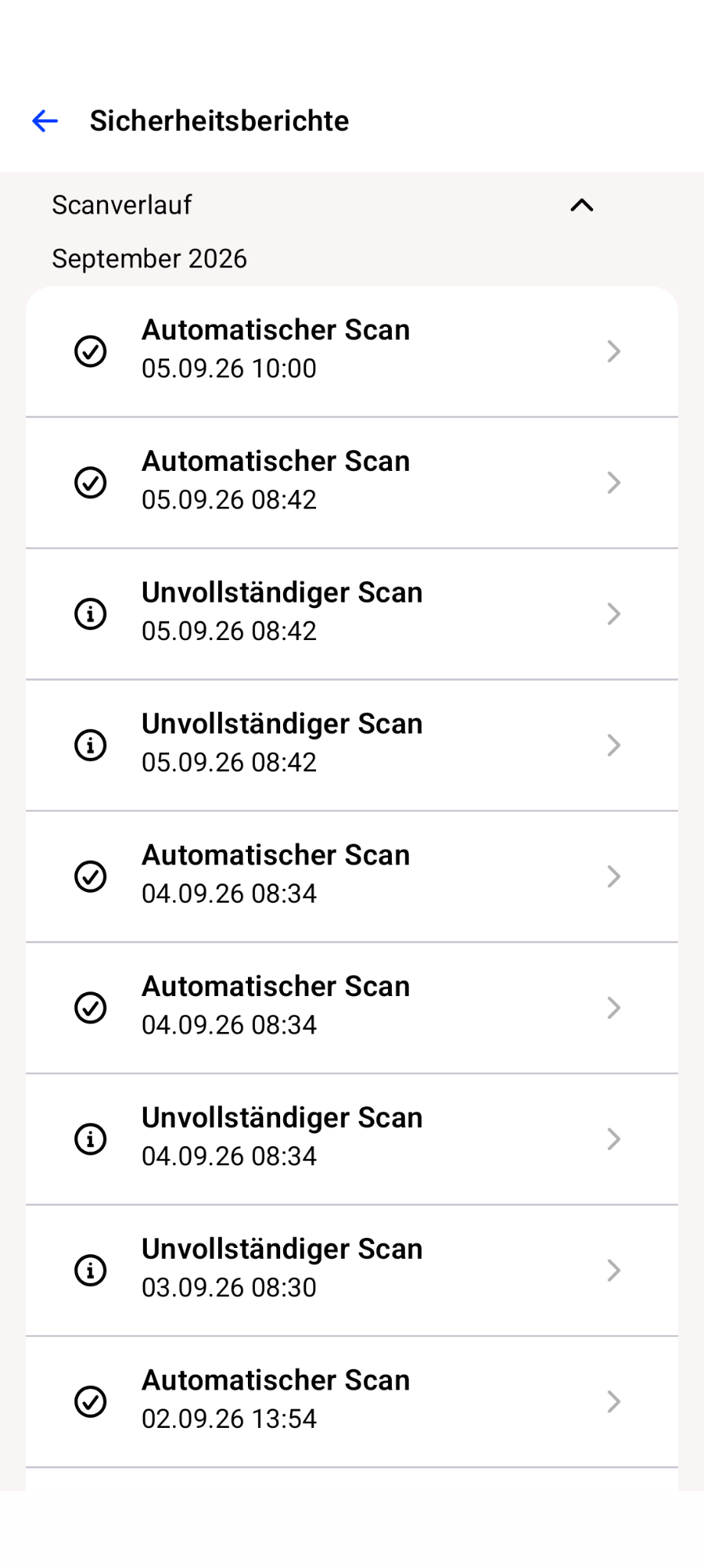
I have attached the screenshots of the scans from the last few days.
The start of the scan cannot be linked to a restart or a charging cycle. That doesn’t fit with the frequency. (I might restart it twice a month and charge my smartphone every 15–24 hours.)
In fact, not all scans are complete (“Unvollständiger Scann”), but many are (“Automatischer Scann”).
It’s not as if the frequent scanning is a nuisance – and it probably doesn’t use up any significant amount of battery power either – but it does surprise me, which is why I’m asking.
I made my first enquiry on this matter in 2024 (see above) whilst I was still using my Nokia 7.1. I now use a Fairphone 6, but the behaviour of the F-Secure app hasn’t changed.
01.png
Uploaded at
1.34 pm
217.98
KB
02.png
Uploaded at
1.34 pm
214.9
KB
03.png
Uploaded at
1.34 pm
216.18
KB
-
Thanks for your response and information.
Well, first of all, I do not use the "current" F-Secure app on my Android devices (although I do have a Nokia 2.4 with the beta app installed, but it is not my primary device, and it is used mainly with a different profile). That is why I have very little experience, or practically none at all.
Looking at the screenshots - are they all about something like full scan (referring to the automated scans that didn't fail or remain incomplete)? If you click into an entry (>), how many files or items were scanned? Are there any differences between scans, or is there any additional information about this specific event?
For instance, 02.09.2029 with timestamps like 13:51. 13:52, 13:53, 13:54;
also, before: failed 8:19, success then with further two 8:19; And couple of related examples with other days.
Surely sounds strange; unless these are 'different' types of automatic scans. Or if there are certain 'conditions' about.
I mean, maybe updating apps with further re-scanning are marked as automatic scan (previously, there was a distinct designation for such events).
Also, based on Online Guide / Help:
Device Protection and Turning automatic scanning on quotes
- When scanning is turned on, the app scans the device daily automatically.
- The app also scans installed programs and inserted memory cards for viruses, spyware, and riskware automatically.
- .. the app automatically scans the device daily and every time a new app is installed (The app automatically scans new apps and files daily).
The implication is that device's automatic scanning - every day - is normal. Presumably on some sort of schedule?
Any installed applications (likely - 'updates' as well) or inserted 'media' will trigger scanning. And I am not sure how it is marked in the history of scans.
Is there any way to track these scans (timestamps) around the time of a network switch - such as moving from Wi-Fi to mobile data or between different Wi-Fi / mobile data access points? Or unrelated at all?
I think based on timestamps - it is not normal if all of them are about one set of scans. But if they are about, say, full scan / updated app / inserted media or whatever - then it is more likely as intended. Because automatic scan per 'certain' event. Not like redoing full device scanning.
// by the way, since we are in "General Discussion" category of "General" board.
What do you think of the Fairphone 6, especially after using Nokia devices? I’m referring more to the "physical" feel of it; maybe robustness of hardware. I don't know if this sounds silly, but is it pleasant to use?
Thanks!
// forgot to add that your previous topic was with an official suggestion that the behavior was not as designed and kind of a bug. So… if ""behaviour of the F-Secure app hasn’t changed"" at all; and still with both devices, perhaps, it is better to contact them either via web-chat there or via this feature: Sending logs to support. As more control over process and speed-up things.