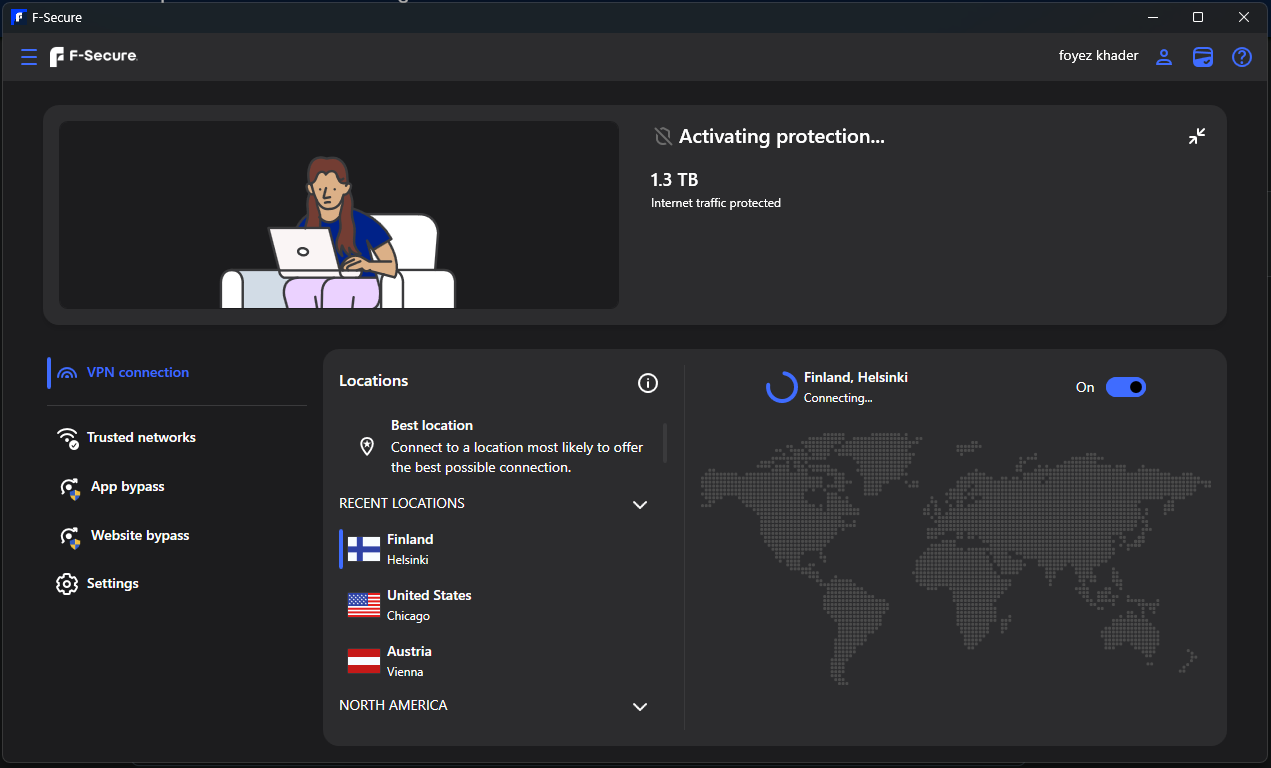
VPN not connecting.

Hi Everyone,
I've been a long time user of the VPN from this company and i'm a user from the UK, But i'm currently have an issue with the VPN, for whatever reason it's just not connecting at all i've tried to change locations and I still get the same issue. I've restarted/shutdown my desktop and I still have the same issue and I am puzzled with why it's now struggling to connect. I can't say for certain there was an update recently to it, but don't know if that did anything to it. Can anything be done? Or is it a case that I may have to reinstall for this to work again. I've attached a screen shot so you get an idea would appreciate it if someone could help with this.
Many Thanks,
Foyez5
Answers
-
Hi @Foyez5Thank you for reaching out, and I’m sorry to hear you’re having trouble connecting to the VPN.
Since restarting your desktop and changing locations did not help, please try the following steps:
- Make sure your F-Secure app is fully updated
- Temporarily disable any other VPN, firewall, or security software that may interfere with the connection
- Try changing the VPN protocol/settings if available in the app
- Sign out of the application and sign back in
- Recommended to reinstall of the F-Secure application if the issue continues
If possible, please also share:
- Your Windows version
- Whether the issue started after a recent update
Once we have those details, we can investigate further.
Best regards,
Chameni / F-secure -
Hi Chameni,
I recently updated the VPN, this is the only VPN I use, I did manage to change the Protocol/Setting from Hydra to Wireguard. It seems to be working now. Just wondering has something happened to the Hydra protocol or something? Also i'm currently using Windows 11. It definitely started after the update I'm sure prior to that there was no issue. Also do you have a download link for the app again that would be handy.
Kind Regards,
Foyez5
-
I've had the same issue for maybe couple of weeks now: disconnecting after few minutes and then VPN tries to reconnect. Super annoying problem and makes the VPN totally unusable since it cuts the network connection.
I have two Windows 11 machines with the same issue. Reinstalling the software has not fixed the problem. It seems that Windows 10 is not affected by this but I can't be 100% sure.
There was an update today, but it seems it didn't fix the problem. I'll try Wireguard protocol to see if that helps. -
Unfortunately nothing seems to help here. It takes minutes to reconnect if at all the process is successful. Restarting fsvpnsvc service seems to wake up the F-Secure app to do something other than "conneting…", but eventually it just goes back to reconnecting. Doesn't seem to matter if you have wired or wifi connection.
Can you please provide a link to a version few months ago that actually worked. -
-
Unfortunately nothing seems to help here. It takes minutes to reconnect if at all the process is successful. Restarting fsvpnsvc service seems to wake up the F-Secure app to do something other than "conneting…", but eventually it just goes back to reconnecting. Doesn't seem to matter if you have wired or wifi connection.
Can you please provide a link to a version few months ago that actually worked.
What protocol(s) have you tried?
Most likely there are four for Windows platform now. Hydra, Wireguard, OpenVPN, OpenVPN(TCP).
Is Killswitch feature ON?
Did you try to use VPN only with one network (like at home with your ISP connection)?
When you wrote in your previous comment """disconnecting after few minutes and then VPN tries to reconnect""" - does this mean you can use VPN for a couple of minutes?
Thanks!
-
Hi @izeusmaximus
We're sorry to hear you're still experiencing this issue. We don't provide older versions of the F-Secure app for download. Please contact our support team : so we can investigate the VPN connection issue further and gather diagnostic information to help identify the cause.
Thank you,
Chameni / F-secure -