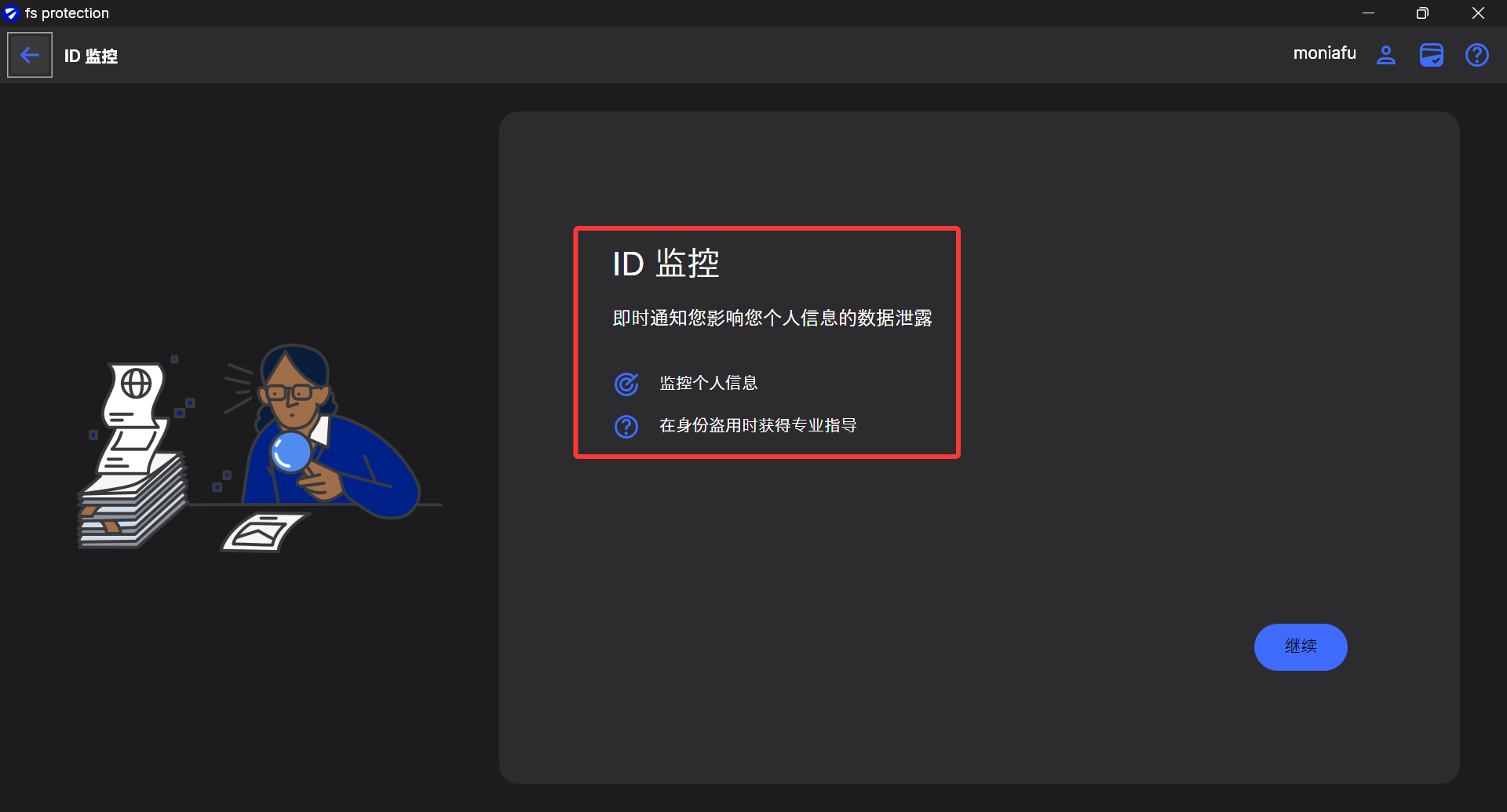
Simplified Chinese interface incorrectly uses Japanese font Yu Gothic UI

Hello,
I recently noticed a font display issue in the Simplified Chinese interface of F-Secure. On the "Settings" page, the default UI font for Simplified Chinese appears to be Yu Gothic UI (a Japanese UI font), rather than the correct default font for Simplified Chinese environments – Microsoft YaHei UI.
Although Yu Gothic UI does contain some Han characters, its glyphs are designed for Japanese. Some characters are written in Japanese style that differs from Simplified Chinese conventions (e.g., "护", "处"), making the reading experience less comfortable and inconsistent with the overall style of the Windows Simplified Chinese system.
Steps to reproduce:
- Set Windows system region and language to Simplified Chinese (Chinese, Simplified, China).
- Open the F-Secure "Settings" interface.
- Observe the Chinese text – you can see the font is Yu Gothic UI (the difference is obvious when compared with Microsoft YaHei UI).
Please change the font declaration for Simplified Chinese UI resources from Yu Gothic UI to Microsoft YaHei UI (or a fallback chain like "Microsoft YaHei UI", "Microsoft YaHei", "Segoe UI", sans-serif).
For example:
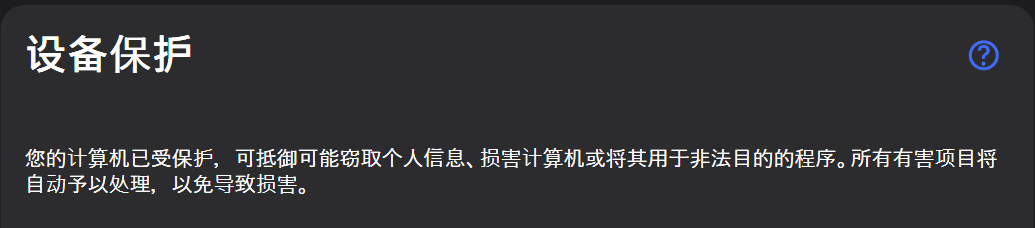
Should BE:

Very different,right?
Thank you for F-Secure's otherwise excellent product experience. I hope this small detail can be optimized soon to make the experience more natural and comfortable for SC users. If more information is needed, I'm happy to help.
Thanks!
Answers
-
Hello @FuJunang,Thank you very much for the detailed feedback and clear explanation regarding the Simplified Chinese font display issue in the F-Secure Settings interface.
We understand the concern that Yu Gothic UI, while containing Han characters, follows Japanese glyph conventions that differ from Simplified Chinese writing styles. We also appreciate the comparison examples and your suggestion to use Microsoft YaHei UI or an appropriate fallback chain for a more consistent Simplified Chinese user experience.
We will forward your feedback to the relevant team for review and consideration in future improvements.
Thank you again for taking the time to report this and for your support of F-Secure.
-
After a closer look: most bold text and titles on the main interface seem to use the correct font (maybe not MS YaHei, but a Chinese font), but body text (lighter weight) mostly uses Yu Gothic. I'm not 100% certain about this observation.