PROBLEM REPORT: CANNOT ALLOW/RESTORE FILES FROM QUARANTINE THAT DO NOT BEHAVE LIKE VIRUS

PLEASE! NO ONE BUT A F-SECURE EMPLOYEE REPLY TO MY PROBLEM REPORT!
Edition: F-Secure Internet Security
Version: 26.3
I am a professional pentester. Therefore, I use files that have triggered F-Secure's antivirus in the past. I was always able to Allow/Restore those files from F-Secure's Quarantine and place into the Excluded section. It has been the same files over the years.
The files have been PowerShell scripts. They are not viruses and do not behave like viruses.
Yesterday, they were re-detected and then I Allowed/Restored them which created Exclusions for them.
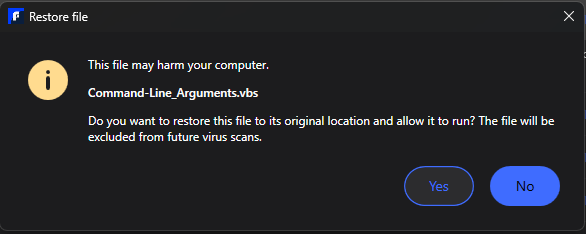
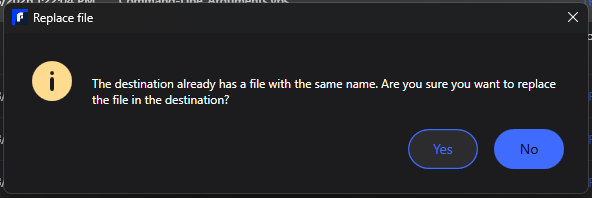
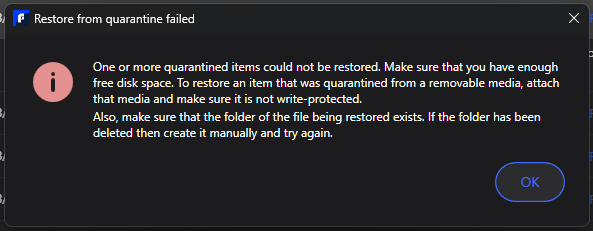
Today, the very next day, despite those files being in the Excluded list so that can be Allowed for availability and use, out of nowhere F-Secure redetected them and Quarantined them. When I attempted to Allow/Restore them I get "The files already exist in Exclusions". When I remove the files from Exclusions, F-Secure will not permit them to be Allowed/Restored and moved to the Exclusions list.
These are critically needed files. I am not messing around. I do not have the time to submit each one to F-Secure for analysis as I have a pentesting engagement on Monday and I need the files for that engagement!
In short, F-Secure is holding the files "hostage" within Quarantine with no ability to get them back!
This bug or new behavior is going to interfere with my livelihood if I do not get resolution before Monday!!
Today, F-Secure also detected an absolutely harmless Read-Only PDF with no text within it or metadata/file properties that should ever cause F-Secure's AV engine to detect it as malicious and add it to Quarantine. Like the other files detected, this harmless PDF also cannot be Allowed/Restored to the Exclusion list.
In short, F-Secure is holding the files "hostage" within Quarantine with no ability to get them back!
Answers
-
Hi @Karibu,
We sincerely apologize for the delay and understand the urgency of this issue, especially with your upcoming engagement. Based on your description, this appears to be a problem with the current quarantine/exclusion handling behavior in version 26.3.
Please contact F-Secure Support directly:
Kindly include:
- Product version (26.3)
- File types affected
- Screenshots of the quarantine/exclusion messages
- Diagnostic logs if possible
Please mention that excluded files are being re-quarantined and cannot be restored despite existing exclusion entries. This will require escalation to the technical team for investigation.
Thank you