
DeepGuard blocking Rust-related programs

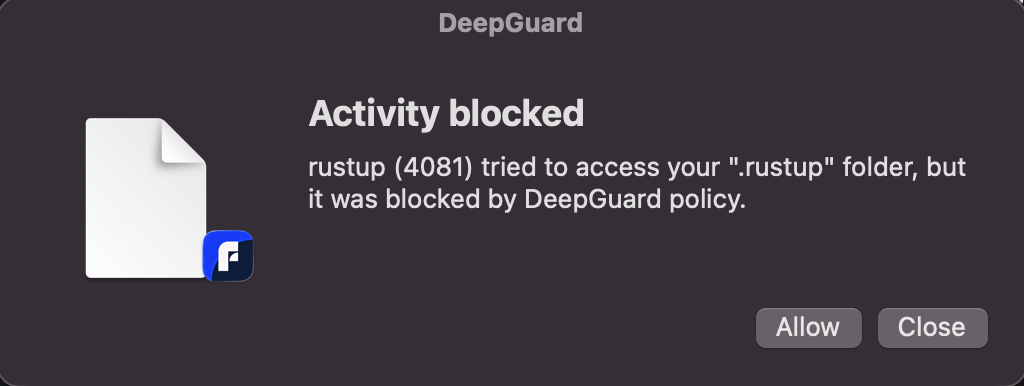
I have been trying to set up a new project in the Rust programming language with the "cargo" package manager. Trying to just run a very standard setup script "cargo new <project_name>" results in a permission error and a popup that announces the details of the error. I have to manually select "Allow" every time and type in my user account password. I need to do this even while in the DeepGuard config the policy of ".rustup" is set to "Allow". Having encountered such problems before as well with the UV package manager for Python, for instance, the only way to reliably suppress these errors has been to turn off DeepGuard.
Would appreciate if there was some reliable fix to this problem as it is a major nuisance for someone who does software development.
Answers
-
Hi,
First of all, since you're a developer, you are probably better of enabled "Advanced mode" in the DeepGuard settings, if you haven't already. This gives you more fine-grained control of the DeepGuard rules created.
Second of all, what often happens in this case is that the hash of executable changes between runs, in which case DeepGuard will treat it as a different program if it's not Developer ID signed (which is the case with Rust, for example). For those cases, you need to open the rule editor in the DeepGuard Configuration app, and modify the rules that have been automatically created and make them more generic.
For my test Rust setup, this allows the "rustc" executable perform any action on any folder:
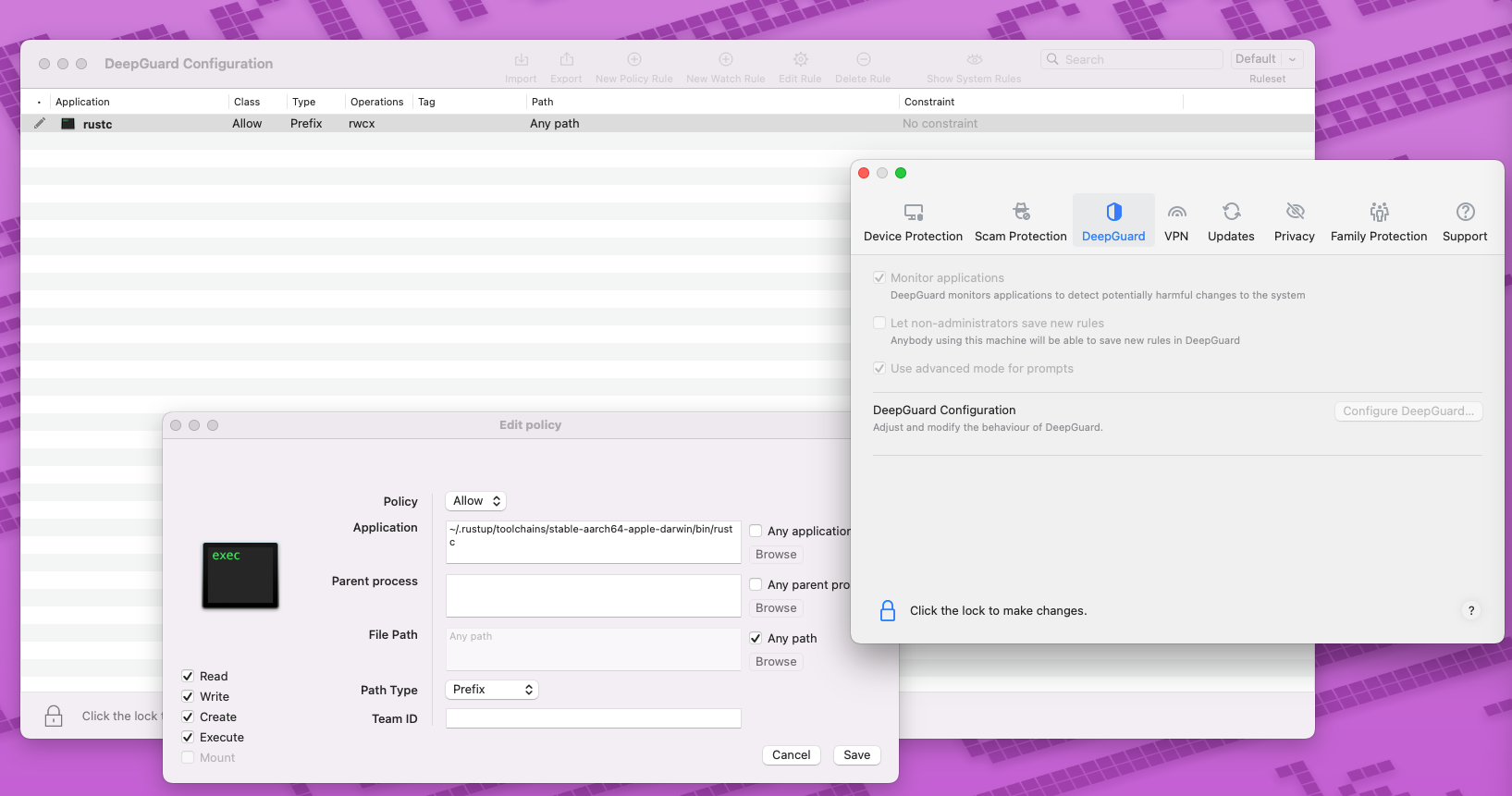
Create similar rules for other executables, and then press cmd-R or exit the DeepGuard Configuration app to apply the new rules.
If your user account is not an administrator account on your machine, you may also want to check "Let non-administrators save new rules" in the DeepGuard settings, otherwise you will not be able to create permanent DeepGuard rules directly from the prompts or notifications.
Let me know if you have any further questions.
Rasmus Sten
F-Secure Technology, Mac Team
